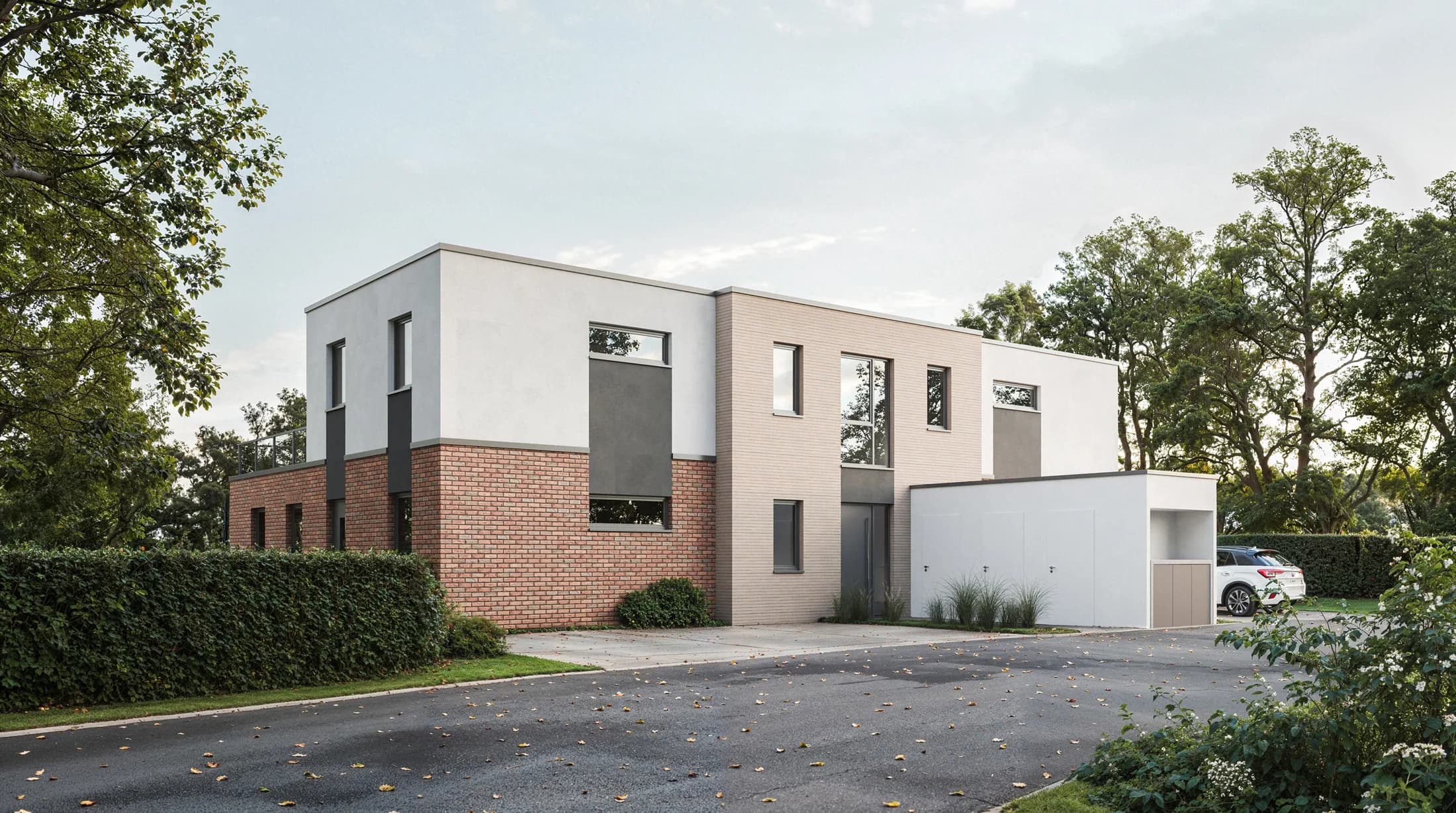
What an exterior visualization should do
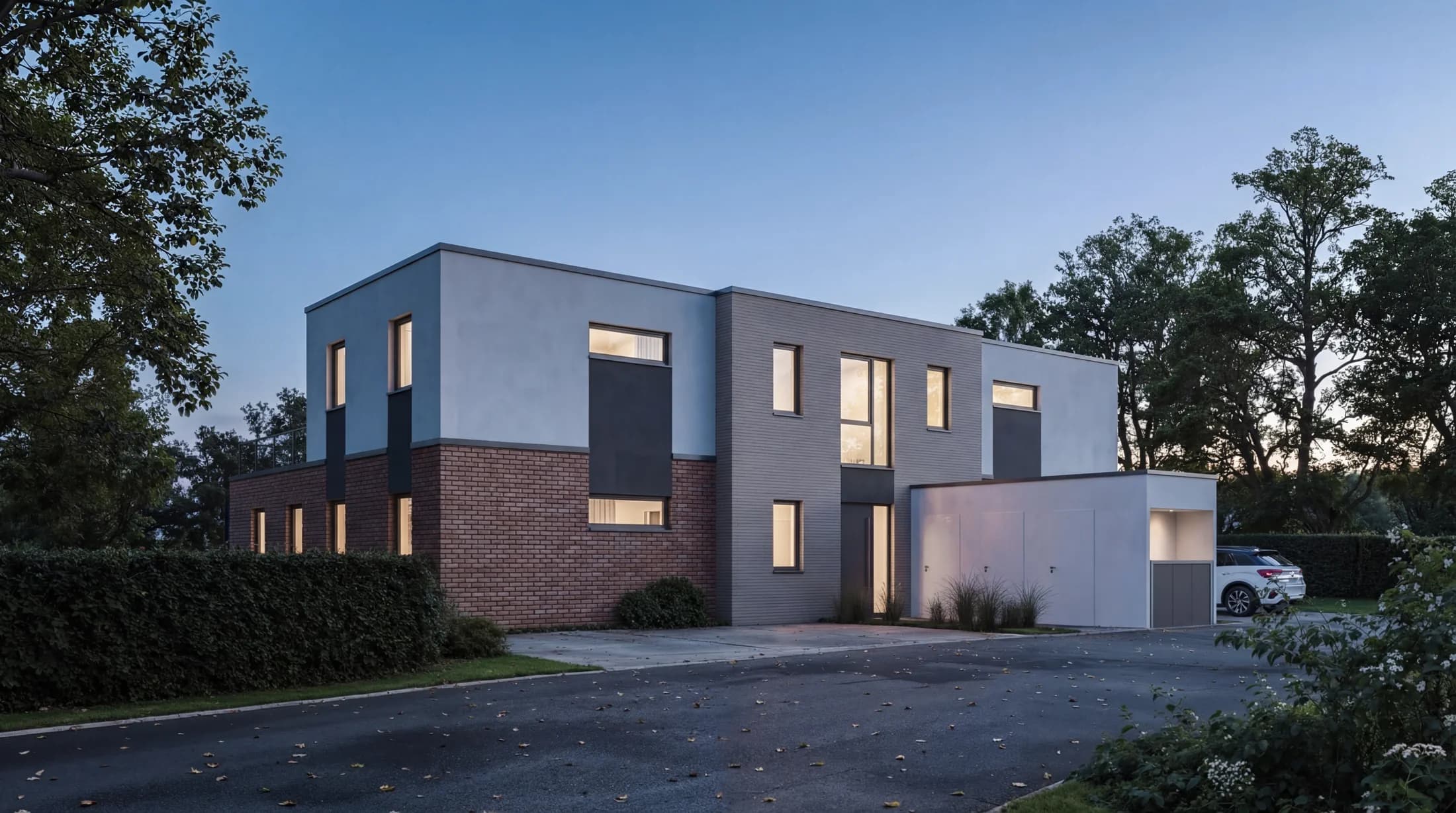
A good exterior view shows not only the building, but how it sits in its finished surroundings. Material, light, vegetation, and neighboring buildings decide whether an image conveys the design fairly or merely decorates it.
Images are rendered in 3ds Max with V-Ray and finished in Photoshop. Output in web, brochure, and large-format print resolution, depending on where the image is used.
The focus is on marketing imagery for residential projects in northern Germany: developers use the views for exposés, portals, websites, and site signage, often complemented by a twilight or night variant of the same perspective and a drone-style overview placing the development in its real surroundings.
Where exterior visualizations are used
Marketing for new-build projects
You use the images for exposés, listing portals, your website, and social media. Available before groundbreaking, so prospective buyers already know what they will see.
Architectural competitions
Clean, design-true exterior views without Photoshop drama. Juries tend to read exaggerated lighting as manipulation, which works against the entry.
Planning application: height comparison with neighboring buildings
For a planning application, exterior views show how the design fits into the existing street. Neighboring buildings come into the model from official 3D building data (LoD2), and the site plan is georeferenced. Eaves, ridge, and height profile thus become visible in comparison to the neighbors, as a perspective or as a straight elevation of the facade. The same images help in discussions with authorities, neighbors, or clients.
Twilight and night variants
Second version of the same view at twilight or night. Often performs better as a cover image and on social media than the daytime version.
How an image is made
Four steps, around two to three weeks from full data handover.
Briefing
You send the plan set (site plan, floor plans, elevations, sections) and references. We agree on scope and visual direction.
Clay renderings
First untextured drafts establish perspective, proportion, and light. Here we decide which views are taken further.
Material development
Based on the chosen perspectives, color drafts emerge with materials, vegetation, and atmosphere. One feedback round is included.
Final
After the last sign-off, the images are final-rendered and delivered in the agreed resolution.
Good to know
What documents do you need for an exterior visualization?
Ideally the plan set with site plan, floor plans, elevations, and sections, plus details on facade material and colors. For the surroundings, a site plan, street views, or photos of the location help. Reference images for the desired mood round off the briefing.
Does the planting match the region and season?
Yes. Vegetation and lighting are chosen to fit the northern German setting and a coherent season. That often decides whether an image reads as believable or generic.
Are the images suitable for large-format print such as a site board?
Yes. The views are output in print resolution, so the same perspective works for web, brochure, and large formats such as a site board, each at the appropriate resolution.
Reference projects
Examples from current developments where the exterior visualizations were produced for marketing:
Related to this service: