KnowledgeUpdated: July 4, 2026
What are architectural visualizations?
Architectural visualizations are photorealistic depictions of planned or existing buildings as computer-generated images, animations, or interactive tours. They make architecture visible before it is built and are primarily used for real estate marketing, design decisions, and approval processes.
Contents
- Rendering, visualization, archviz: what do the terms mean?
- How do developers, agents, and architects use architectural visualizations?
- How are architectural visualizations created? The five-step process
- What types of architectural visualizations exist?
- What software are architectural visualizations created with?
- How do you recognize good architectural visualizations?
- Photorealistic or stylized: which representation fits when?
- What do architectural visualizations contribute to marketing?
- What documents does a visualization artist need?
I have been working as a 3D artist specializing in architectural visualization since 2018 and hold a degree in architecture. Here I explain what the term actually means: how such an image is made, which types exist, and how to recognize quality. All example images are from my own projects.
Rendering, visualization, archviz: what do the terms mean?
In everyday use the terms are often used interchangeably, but they mean different things. Strictly speaking, a rendering is the single computer-calculated image: the result of the process that turns a 3D model with light and materials into a two-dimensional picture. Architectural visualization describes the entire discipline: from preparing the plans through modeling and image design to the finished image set. Archviz is simply the internationally common short form.
The umbrella term CGI (computer generated imagery) is also common and covers all computer-generated images, not just architecture. So when a developer commissions renderings, they usually mean a complete architectural visualization: several coordinated views that make a project ready for marketing.
How do developers, agents, and architects use architectural visualizations?
Developers often sell apartments and houses years before completion. Buyers then decide based solely on plans and images. Photorealistic renderings close this gap: they show the facade, materials, light, and surroundings the way the building will actually look. The images are used in exposés, project websites, listing portals, and construction signs.
Real estate agents use visualizations to present existing properties more attractively: virtual staging furnishes empty rooms digitally, 3D floor plans make layouts understandable at a glance, and 360-degree views let prospects walk through rooms online.
Architects use visualizations for design decisions, competitions, and communication with clients, committees, and neighbors. A rendering answers questions a floor plan leaves open: How does the building volume sit in the street? How does afternoon light fall into the living space?
How are architectural visualizations created? The five-step process
The workflow is largely standardized across professional studios. This is how a project runs in my studio:
- Plan set and briefing: the basis is floor plans, elevations, sections, and the site plan, plus material specifications and reference images for the desired mood.
- 3D model: the plans are turned into a true-to-scale digital model of the building and its surroundings.
- Preview (clay rendering): a simplified rendering without materials locks in camera angles, proportions, and lighting before details are developed.
- Feedback rounds: materials, lighting, planting, and details are developed and refined in typically two revision rounds with the client.
- Final images: the approved views are rendered in high resolution for web and print and post-processed.
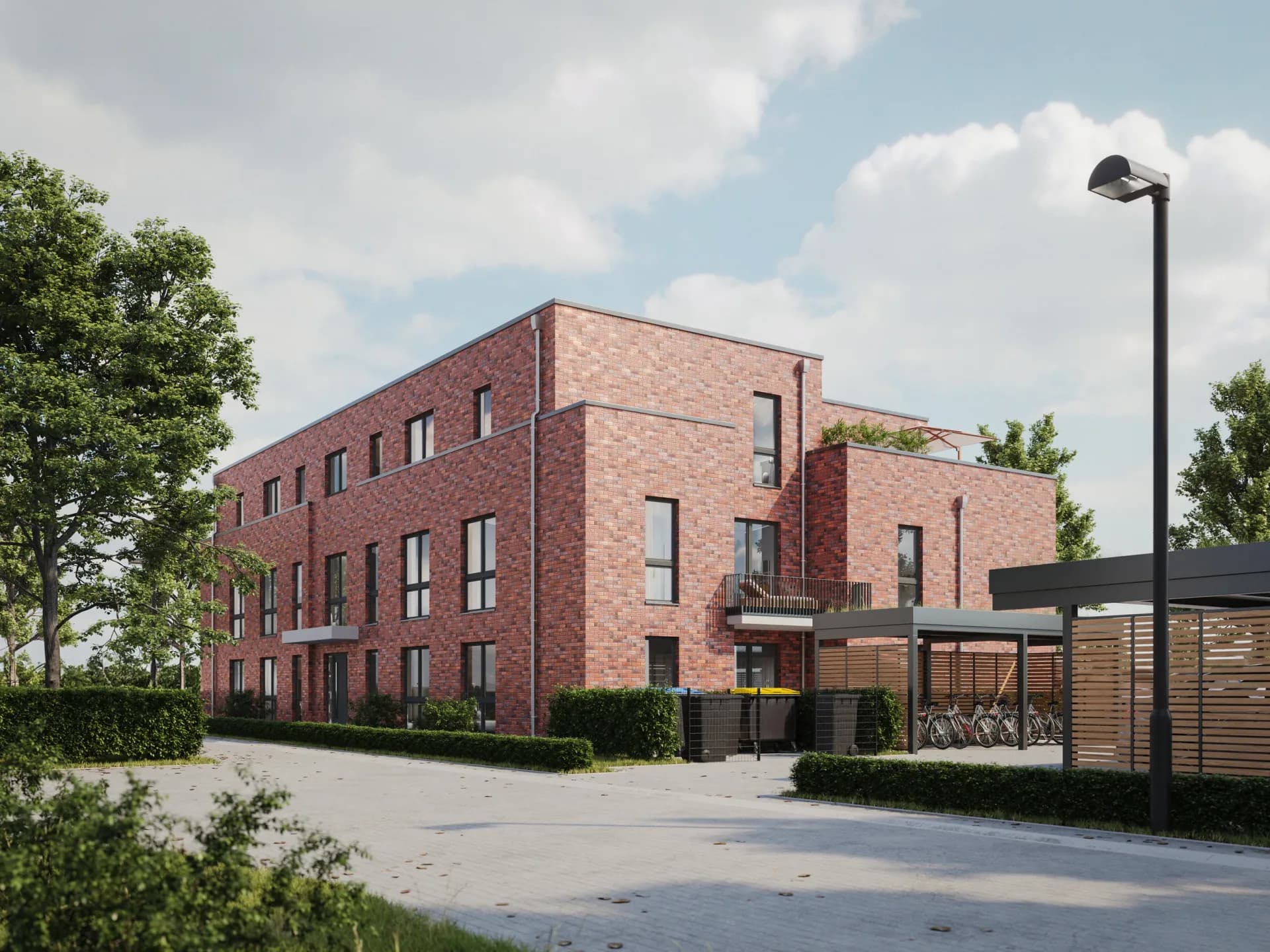
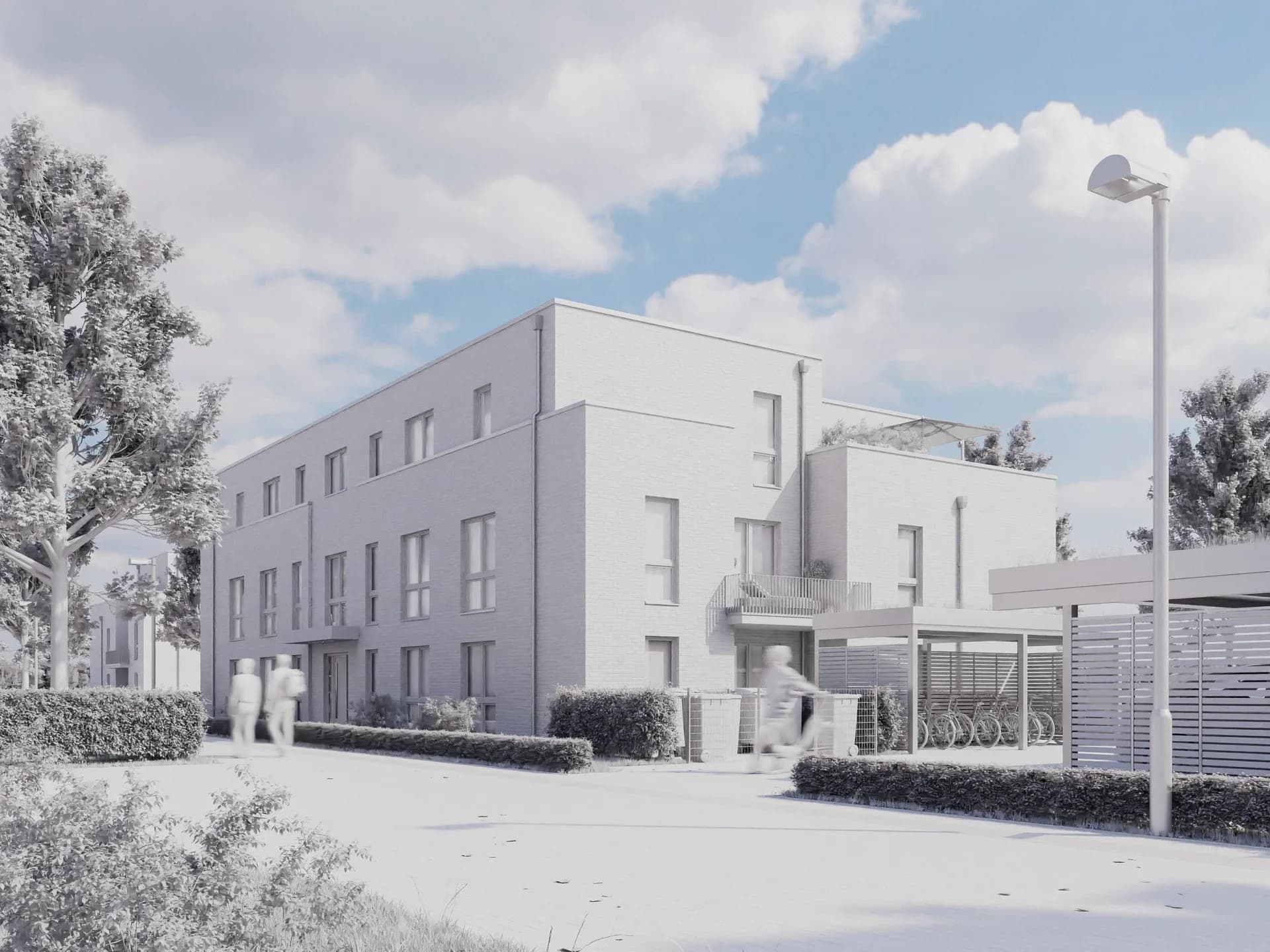
The clay phase is the biggest lever for time and budget. Moving a camera angle takes minutes at this stage. In the fully textured image, the same change costs many times more. That is why it pays to review previews carefully before detail work begins.
A cleanly defined plan status is equally important. The visualization is created based on the plans approved at project start. If the design changes afterwards, say a window division or a balcony railing, the change is applied deliberately. In my project experience, a frozen plan status is the most effective measure against delays: it gives both sides a clear reference for what the image must show.
What types of architectural visualizations exist?
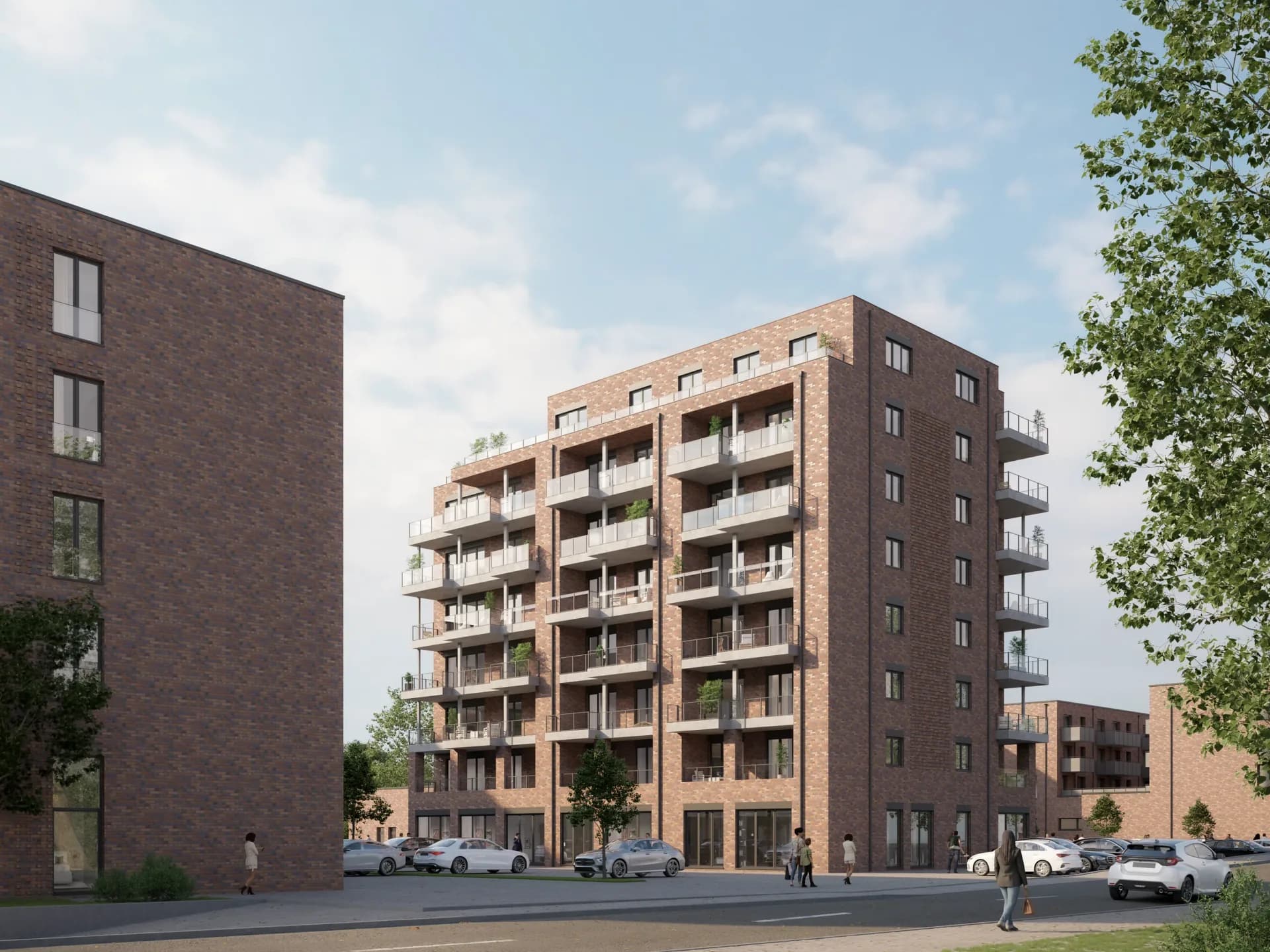
Exterior visualization
The exterior visualization shows the building in its context: facade, open spaces, planting, and lighting mood. It is usually the lead image of a marketing campaign. Variants such as day and night moods of the same view extend the imagery without a new motif.
Interior visualization
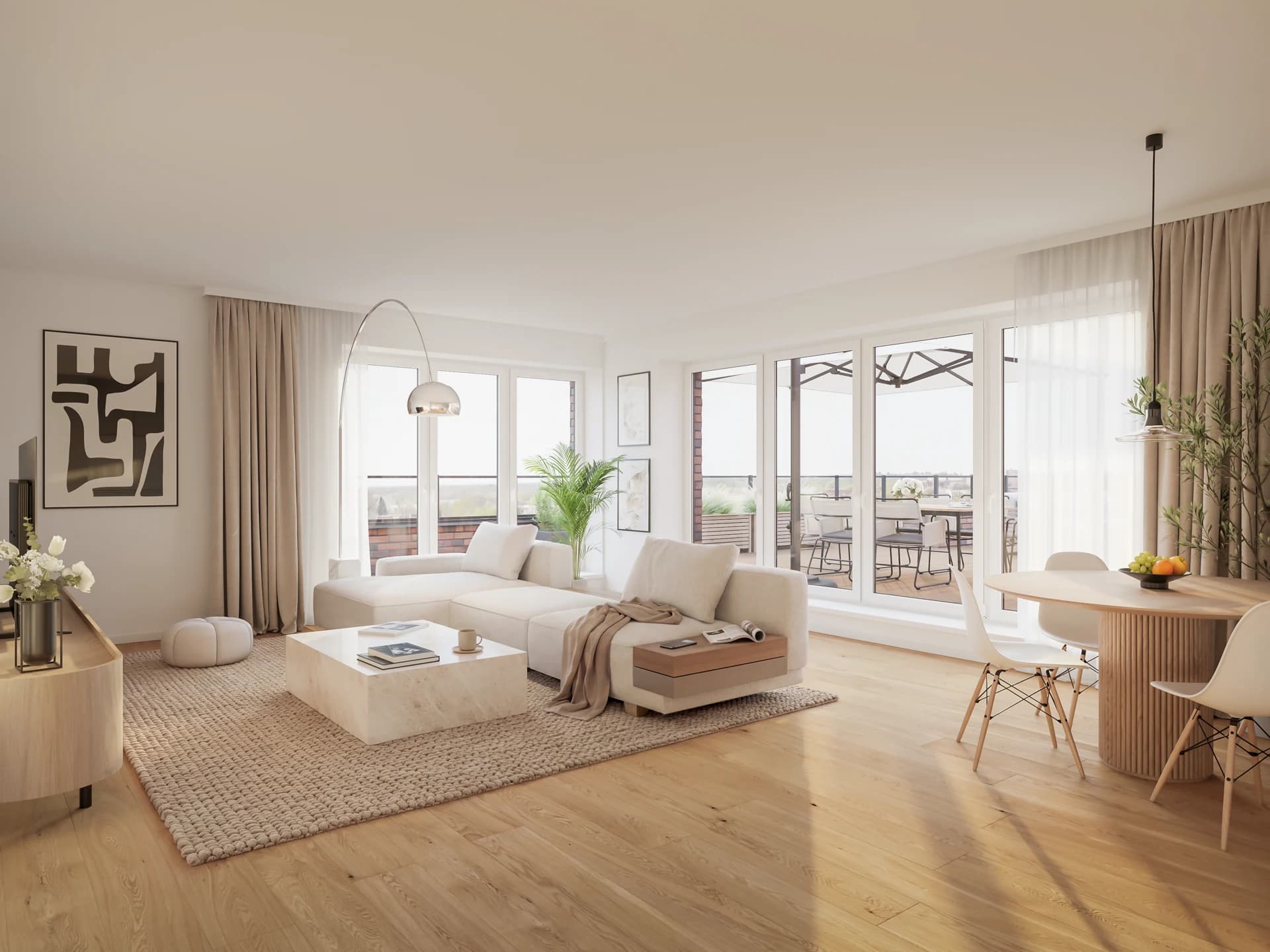
The interior visualization shows rooms with materials, furnishing, and daylight. It answers the question of how an apartment will feel and is often decisive for off-plan purchase decisions.
What matters here: materials and daylight must match the planned specification, and the furnishing should fit the apartment's target group. A four-room family apartment tells a different story than a penthouse, even if both are in the same building.
3D floor plan
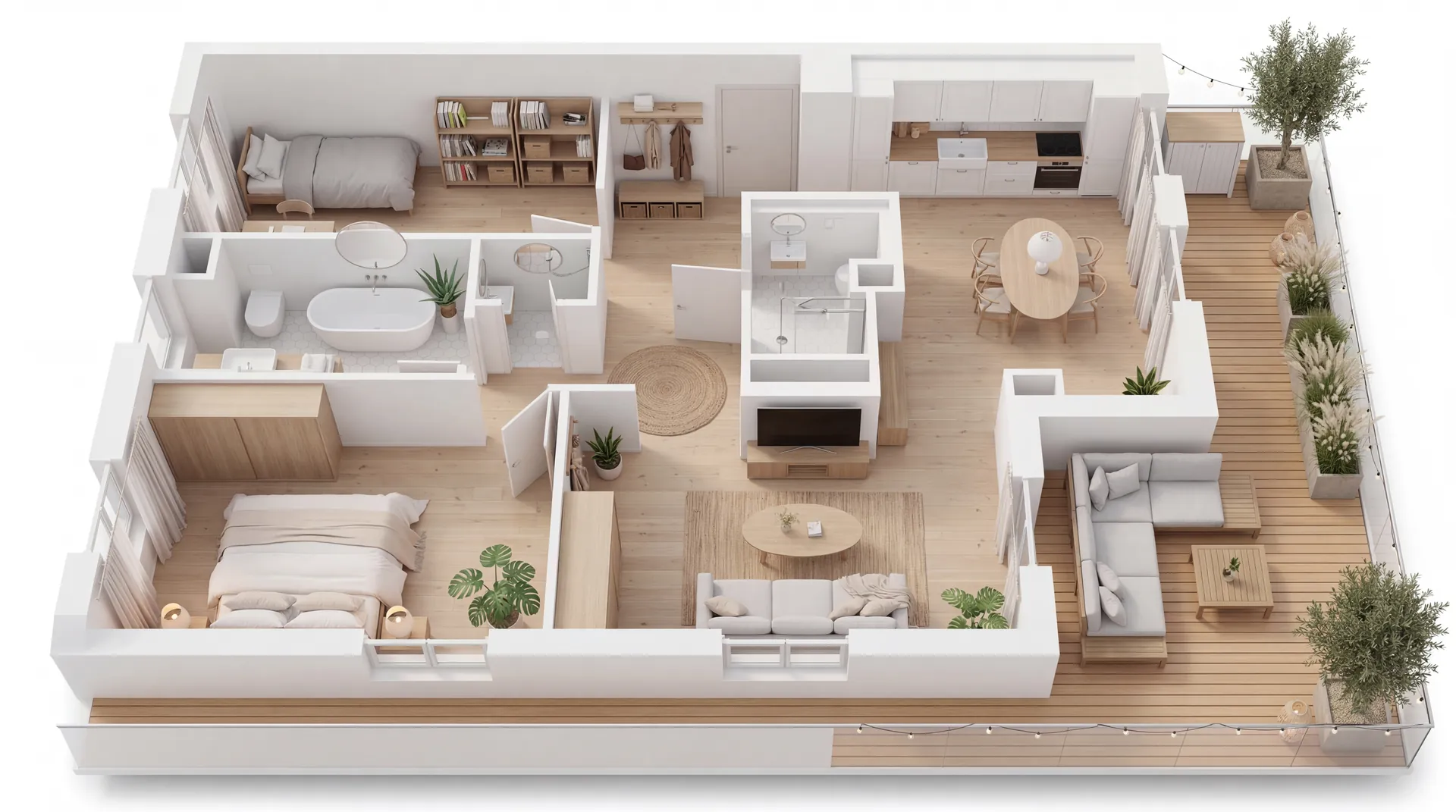
The 3D floor plan presents the apartment layout furnished from a bird's-eye view. Unlike a technical 2D plan, it is readable without prior knowledge, which makes it a staple of exposés and listing portals.
Aerial and overview perspectives
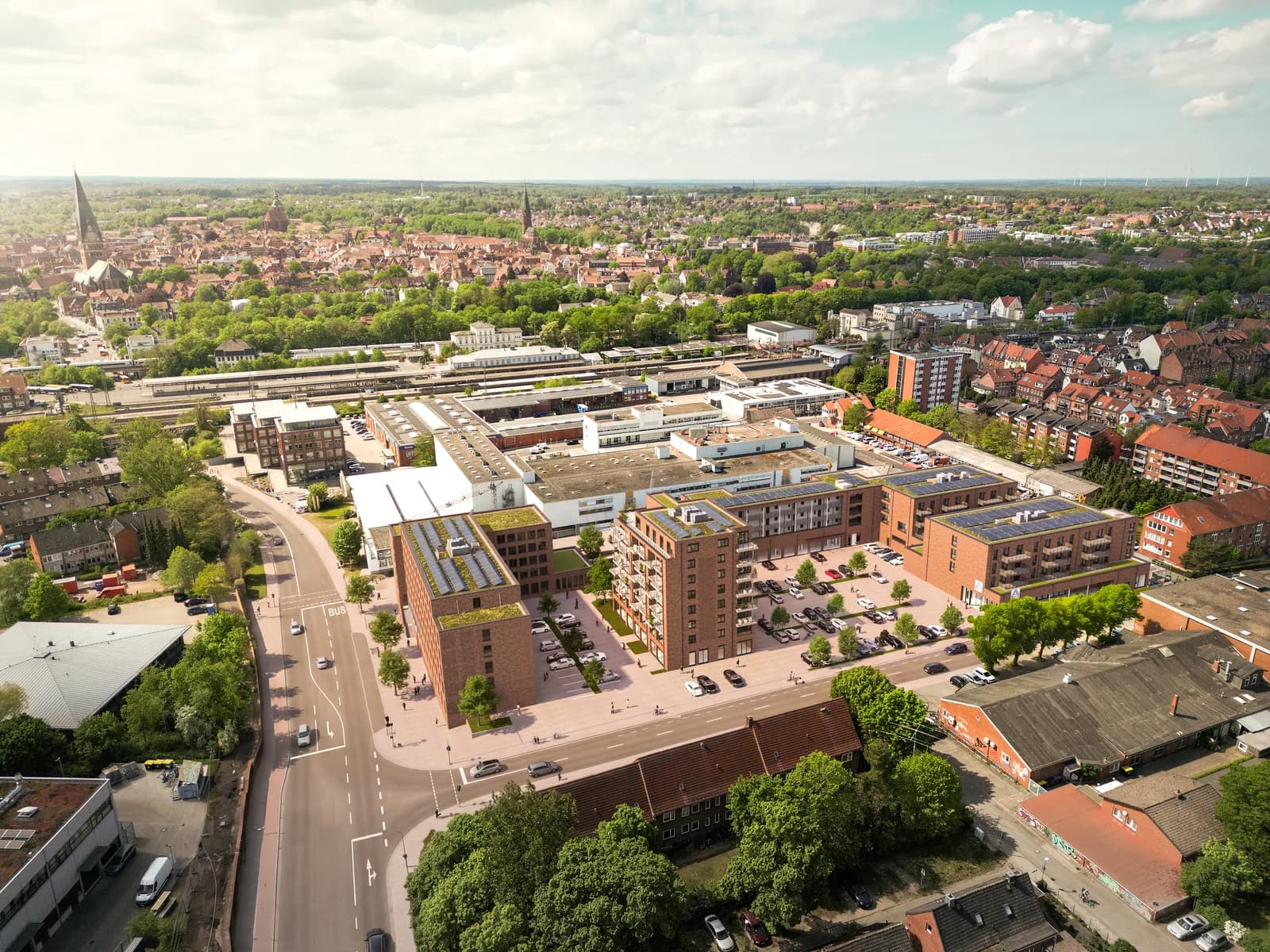
Aerial perspectives show where a project sits and how it fits into its neighborhood. For larger developments with several buildings, such an overview is often the first image prospects see: it answers the location question before the detail views sell the building itself.
Virtual staging, 360-degree views, and animation
Virtual staging digitally furnishes photos of empty existing rooms. 360-degree views make rooms walkable online, for example in the ImmoScout24 viewer. Architectural animation adds camera moves and motion for web and social media.
What software are architectural visualizations created with?
The industry standard for high-quality still images is a combination of a 3D application, a render engine, and image post-processing. I work with 3ds Max for model and scene, V-Ray for photorealistic light calculation, and Photoshop for post-production. Other established tools exist as well, such as the Corona render engine, the free 3D application Blender, or real-time engines like Unreal Engine for interactive tours.
For clients, however, the software is secondary. What matters is the result: plan-accurate, credible images delivered in reliable quality and on time. The choice of tools is the visualizer's craft, not part of the briefing.
How do you recognize good architectural visualizations?
In my project experience, five characteristics separate good visualizations from mediocre ones:
- Plan accuracy: dimensions, proportions, and materials match the plan exactly. A beautiful but incorrect image creates disputes with buyers later.
- Credible light: sun position, shadows, and exposure behave like in a photograph. Lighting is the most common reason a rendering looks artificial.
- Coherent context: surroundings, planting, and people match the location and region instead of coming from a generic kit.
- Composition: camera height, focal length, and framing guide the eye to what is being sold.
- Consistency across the series: all views of a project share one lighting mood and visual language. Only then does the series carry a campaign.
Honesty is part of it too: a visualization may stage, but must not deceive. Stretching ceiling heights or retouching away neighboring buildings sells better short-term and damages trust in the project long-term.
Photorealistic or stylized: which representation fits when?
Not every visualization has to look like a photograph. For marketing, photorealism is the standard because buyers want to see the finished product. In early design phases and competitions, deliberately reduced, atmospheric representations are common: they show the idea without fixing details that have not yet been decided.
For building applications and committees, sober correctness counts: the building volume must be recognizable true to scale in its real surroundings, and staging takes a back seat. The form of representation always follows the purpose of the image, and exactly this question belongs at the start of every briefing.
What do architectural visualizations contribute to marketing?
Real estate purchase decisions are emotional, and plans do not create emotions. A professional image set translates the project into pictures that prospects understand and share. The same image set then feeds every channel: exposé, project website, listing portal, social media, and the construction sign on site.
For developers there is a second effect: visualizations are created before construction starts. Sales can begin as soon as planning is complete, not once a show home can be photographed. For off-plan projects, visualization is not an accessory but the foundation of the entire marketing effort.
A third point is often underestimated: an image set, once created, can be reused across the entire project lifetime. From the same 3D data, variants such as a night mood, social media crops, or a short camera move can be produced later without rebuilding the project. An example from my own work: for LUCIA LIVING in Lüneburg, one scene produced the exterior views, the interior images, short animations, and the imagery for the exposés of 32 apartments.
What documents does a visualization artist need?
For a reliable quote and a fast start, four things are usually enough:
- Plan set: floor plans, elevations, and sections, ideally as CAD or PDF files, plus the site plan.
- Specifications for materials and colors of the facade, roof, windows, and outdoor areas.
- Reference images for the desired mood, including examples from other projects.
- Purpose and formats: exposé, portal, website, or large format determine resolution and crops.
If something is missing, that is not an obstacle. In my experience, briefing gaps are resolved in one short conversation, often faster than the missing document could be tracked down.
Planning a project?
Send me your key details and you will receive a concrete, free quote within 48 hours.
Request a free quote